Cancel Agreement Payments ( Repeat Billing)
In this manual, we will guide you on the correct method to Cancel Agreement using a specified endpoint. We strongly recommend that you and your team review theRepeat Billing API Workflow manual first to grasp the business logic behind this integration type.
The Endpoint and Related Postman Collection
- Post Request
- Put Request
| POST | {{domain}}/payment/agreement/cancel |
|---|
Please note that not using the proper endpoint URL {domain} will lead to authentication issues within your responses. To find the your proper domain you can read ourWhat is my (Region)/(endpoint URL)?tutorial article.
- KSA
- UAE
- Egypt
- Oman
- Jordan
- Kuwait
- Iraq
- Morocco
- Qatar
- Global
https://secure.paytabs.sa/payment/agreement/cancel
https://secure.paytabs.com/payment/agreement/cancel
https://secure-egypt.paytabs.com/payment/agreement/cancel
https://secure-oman.paytabs.com/payment/agreement/cancel
https://secure-jordan.paytabs.com/payment/agreement/cancel
https://secure-kuwait.paytabs.com/payment/agreement/cancel
https://secure-iraq.paytabs.com/payment/agreement/cancel
https://secure-morocco.paytabs.com/payment/agreement/cancel
https://secure-doha.paytabs.com/payment/agreement/cancel
https://secure-global.paytabs.com/payment/agreement/cancel
| PUT | {{domain}}/payment/agreement/[AGREEMENT_ID]/cancel |
|---|
Please note that not using the proper endpoint URL {domain} will lead to authentication issues within your responses. To find the your proper domain you can read ourWhat is my (Region)/(endpoint URL)?tutorial article.
- KSA
- UAE
- Egypt
- Oman
- Jordan
- Kuwait
- Iraq
- Morocco
- Qatar
- Global
https://secure.paytabs.sa/payment/agreement/[AGREEMENT_ID]/cancel
https://secure.paytabs.com/payment/agreement/[AGREEMENT_ID]/cancel
https://secure-egypt.paytabs.com/payment/agreement/[AGREEMENT_ID]/cancel
https://secure-oman.paytabs.com/payment/agreement/[AGREEMENT_ID]/cancel
https://secure-jordan.paytabs.com/payment/agreement/[AGREEMENT_ID]/cancel
https://secure-kuwait.paytabs.com/payment/agreement/[AGREEMENT_ID]/cancel
https://secure-iraq.paytabs.com/payment/agreement/[AGREEMENT_ID]/cancel
https://secure-morocco.paytabs.com/payment/agreement/[AGREEMENT_ID]/cancel
https://secure-doha.paytabs.com/payment/agreement/[AGREEMENT_ID]/cancel
https://secure-global.paytabs.com/payment/agreement/[AGREEMENT_ID]/cancel
How to Cancel Agreement ?
When you create an agreement, it defines a clear payment plan for the customer, specifying the amounts due each month, week, or day. If this agreement changes for any reason beyond your control, you must cancel it. You have the option to pause or cancel it from the dashboard. click here to know more Repeat Billing & Repeat Invoicing
Through the API, only cancellation is supported, and it’s recommended to use the API if the agreement was created via API. This ensures the cancellation response aligns with your system and updates correctly. Please follow the steps below to review the request and response.
The Minimum Required Parameters
To initiate cancel agreement request, there are minimum required parameters that need to be passed with valid information. The specification of these required parameters is clarified below according to the query type:
- Via Put Request
- Via Post Request
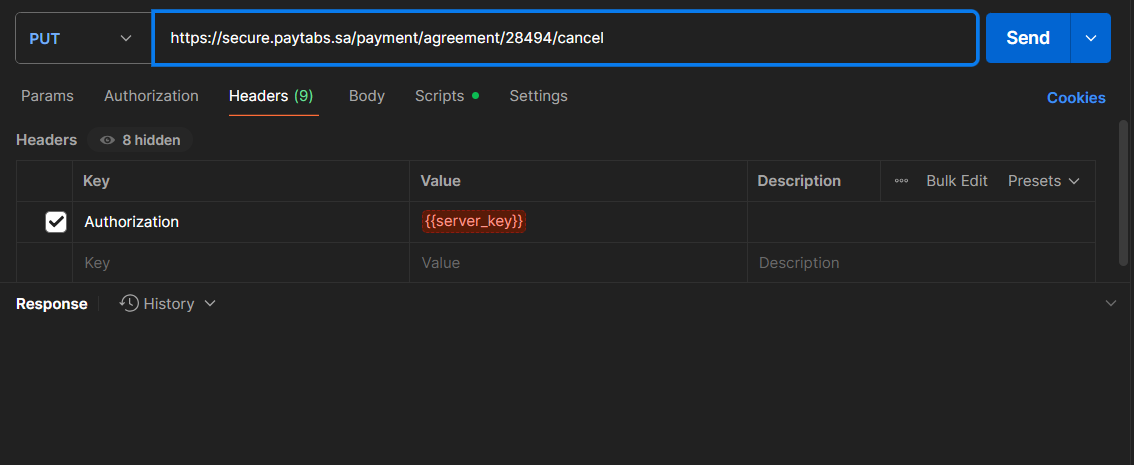
In the PUT request type, you can cancel the status by sending a PUT request with only the { AGREEMENT_ID } as a parameter in the URL Along with the server key ( authentication you already know about ). Below is a sample request that demonstrates how to cancel the agreement with the ID "2075865."
In the POST request type, we simply use a POST request with only the agreement_id and profile_id as payload parameters to cancel the agreement. As shown below
| Parameter | Data Type | Min | Max | Required |
|---|---|---|---|---|
| INT STRING | Accept only valid profile number. | ✔ | |
| The merchant Profile ID you can get from your PayTabs dashboard. For more information please check our How to get your account information from PT Dashboard? solution article. To know more about this parameter please click here. | ||||
| ||||
| int|string | ✔ | ||
| Indicates the agreement ID in PayTabs dashboard | ||||
| ||||
Request & Response Payload Samples
- Via Put Request
- Via Post Request
- Request Payload
- Response Payload
In the PUT request type, you can cancel the status by sending a PUT request with only the { AGREEMENT_ID } as a parameter in the URL Along with the server key ( authentication you already know about ). Below is a sample request that demonstrates how to cancel the agreement with the ID "2075865."
{
"message": "Agreement has been cancelled",
"status": "success",
"trace": "PMNT0401.6903xxxxxx01A94C"
}
For post request, you need to set as usual the API key and the profile ID along with the agreement_id in the request as shown below:
- Request Payload
- Response Payload
{
 "profile_id": "129xxx",
 "agreement_id": "1234",
}
{
 "message": "Agreement has been cancelled",
 "status": "success",
 "trace": "PMNT0401.6903xxxxxx01A94C"
}
The Merchant Dashboard Page Experience
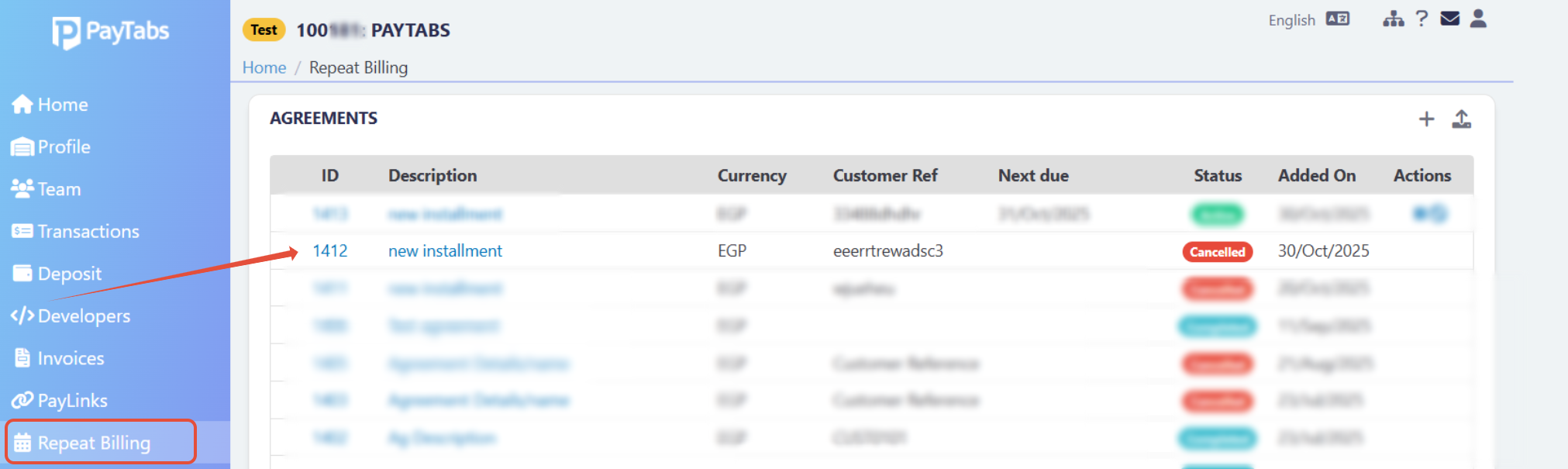
once you cancel the agreement and receive the response, update your system accordingly. In your dashboard, the agreement will appear as shown below: